How to Extract Audio from TikTok Videos (MP3 Download) — 2026 Guide
Extract high-quality MP3 audio from any TikTok video in seconds. Free, no app needed.
Building free video-download tools since 2024. Expert in web APIs, extractors, and multimedia processing across all major platforms.
Download Free HD Videos & Media
TikTok · Instagram Reels · Facebook · Twitter/X · 100% Free · No Watermark
TikTok's audio library is a goldmine — trending songs, original sounds, viral clips, and creator voiceovers. But TikTok does not give you a direct way to save that audio as a standalone file. SaveFromInternet.com lets you extract MP3 audio from any public TikTok video instantly, for free, on any device.
Why Extract TikTok Audio?
- Content creators — use TikTok sounds in Twitter/X videos, podcasts, or Instagram Reels (with permission or for sounds you own)
- Music lovers — save trending songs before they disappear from TikTok's sound library
- Ringtones — turn a viral TikTok sound into your custom ringtone on iPhone or Android
- Offline listening — save audio for when you have no internet access
- Podcast clips — extract a spoken-word segment from a TikTok you want to reference
- Education — save tutorial audio from cooking, language, or educational TikToks
Step 1 — Find the TikTok Video
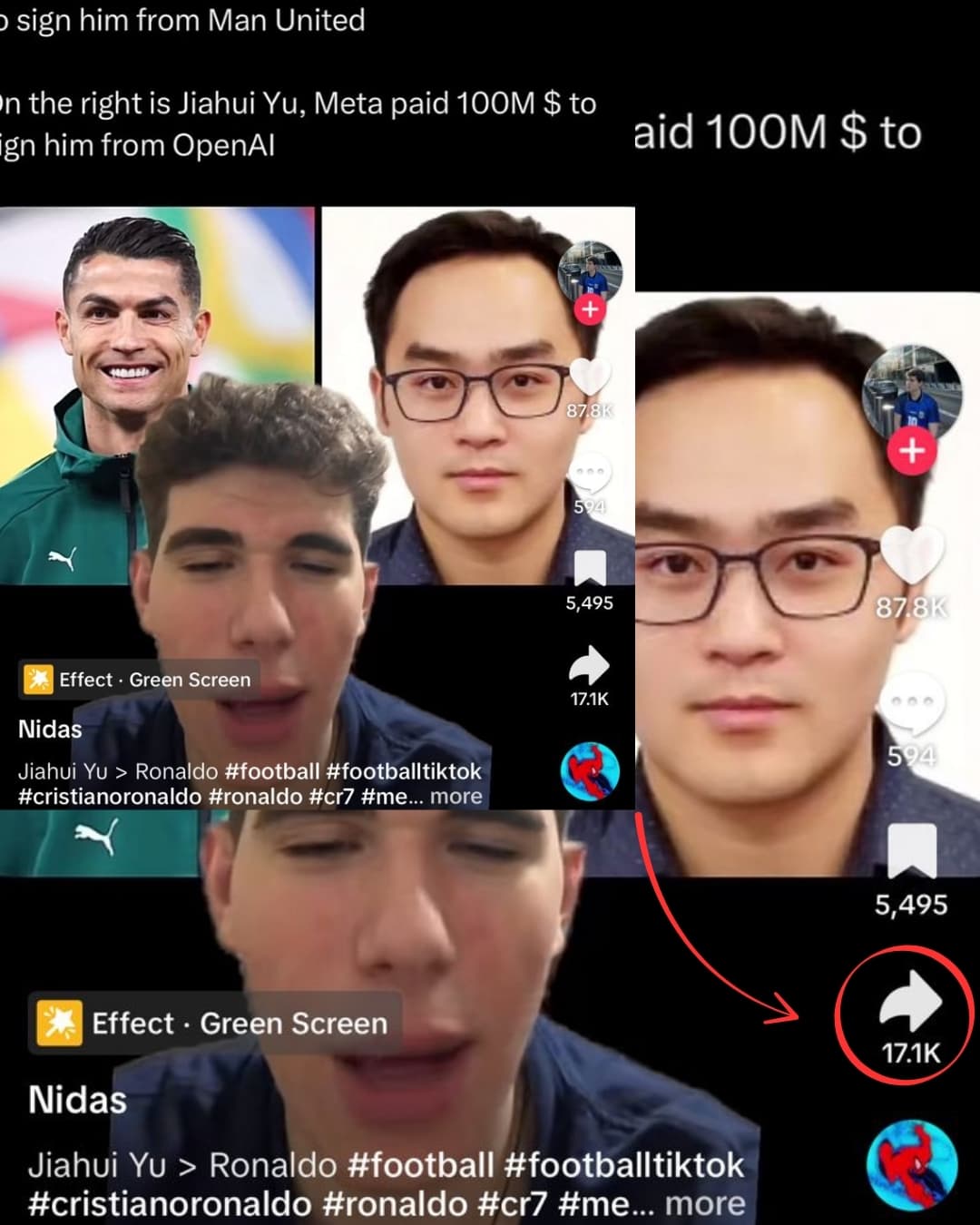
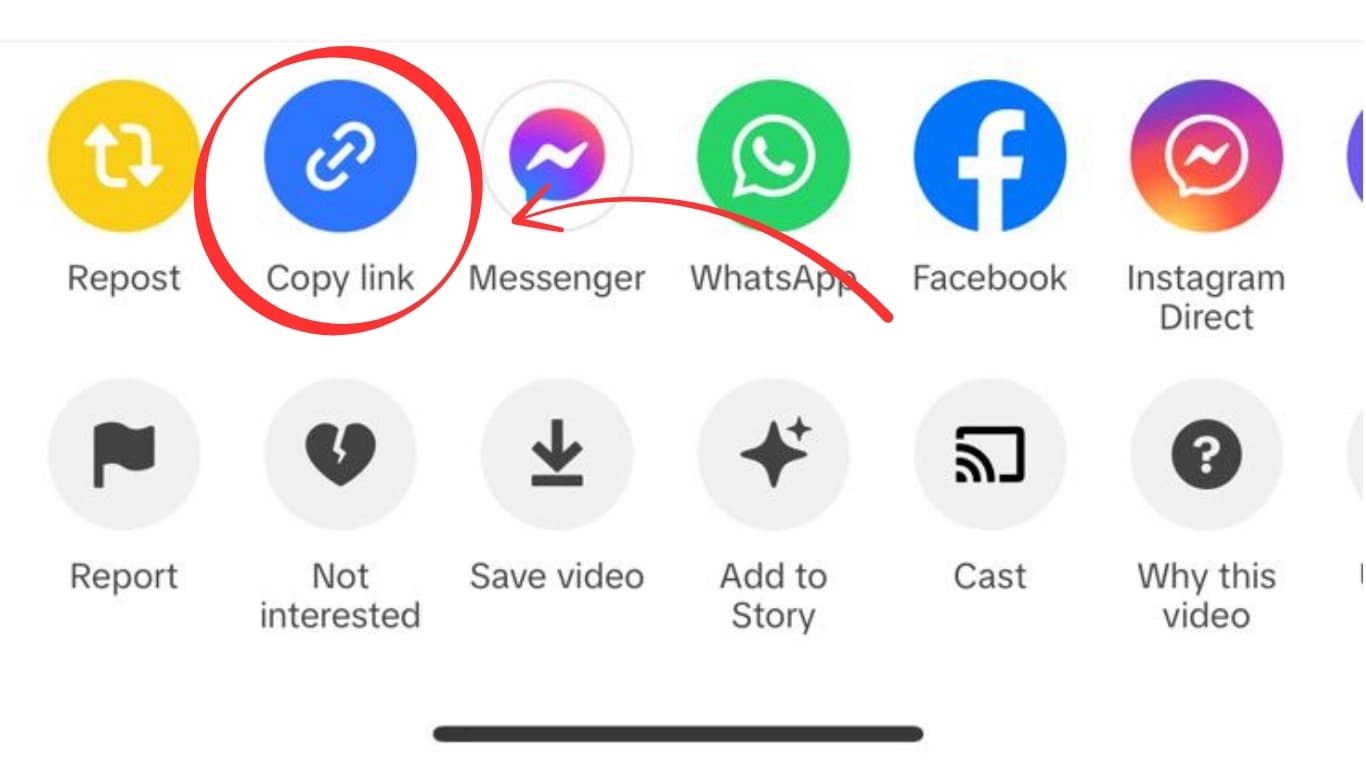
Open TikTok and find the video containing the audio you want. Tap Share → Copy Link. The URL is now in your clipboard.
Step 2 — Open SaveFromInternet.com
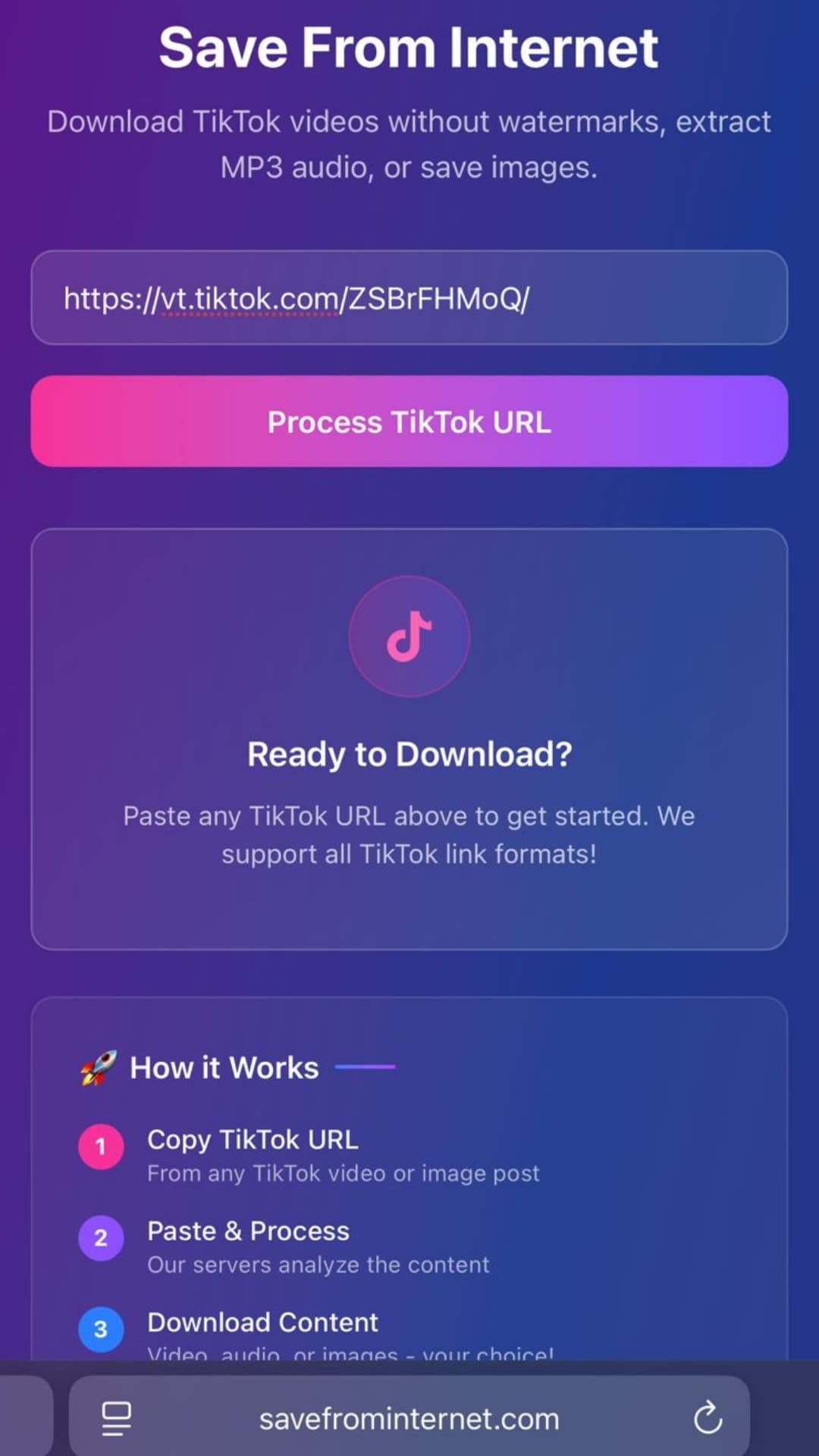
Go to savefrominternet.com in any browser on any device. Paste the TikTok URL into the input box and click Download TikTok Video. The tool processes the URL and retrieves the video information.
Step 3 — Click Extract Audio

Once the video loads on the results page, click Extract Audio. The MP3 downloads directly to your device — no conversion wait, no additional steps. The audio track is extracted from TikTok's source file at the highest available quality.
Step 4 — Find Your MP3 File
- iPhone — Files app → On My iPhone (or iCloud Drive) → Downloads
- Android — Files app → Downloads, or check your Gallery under Downloads album
- PC (Windows) — Downloads folder in File Explorer
- Mac — Downloads folder in Finder
Device-Specific Audio Extraction Guide
On iPhone (Safari)
- Copy the TikTok URL and open Safari
- Go to savefrominternet.com, paste the URL, and tap Download TikTok Video
- On the results page, tap Extract Audio
- Safari downloads the MP3 to your Files app → Downloads folder
- Open the Files app → find the MP3 → tap to play it directly in Files
To add the MP3 to your Apple Music library: open Files, long-press the MP3, tap Share → Copy to Music. The track appears in the Music app under Recently Added.
On Android (Chrome)
- Copy the TikTok URL and open Chrome
- Go to savefrominternet.com, paste the URL, and tap Download TikTok Video
- On the results page, tap Extract Audio
- Chrome downloads the MP3 directly to your Downloads folder
- Open any music player app to find and play the file
On Samsung Galaxy, the downloaded MP3 may appear automatically in the Samsung Music or Google Files app under Downloads.
On PC or Mac
- Copy the TikTok URL from the app or browser
- Go to savefrominternet.com, paste the URL, and click Download TikTok Video
- Click Extract Audio — the MP3 downloads to your Downloads folder immediately
- Open with any audio player: Windows Media Player, iTunes/Music, VLC, or Spotify (import)
Audio Format and Quality Explained
| Format | Quality | Compatibility | File Size (3 min) |
|---|---|---|---|
| MP3 | 128–320 kbps (original TikTok quality) | Universal — all devices and players | 3–7 MB |
| M4A (AAC) | 128 kbps AAC | iOS, Android, Mac, modern Windows | 3–5 MB |
TikTok stores audio at 128kbps for most content. For music tracks licensed through TikTok's sound library, quality can go up to 320kbps depending on the original license. The extracted MP3 is the same quality as what TikTok serves — we do not add or remove any quality.
How to Set a TikTok MP3 as Your Ringtone
Set as Ringtone on iPhone
- Download the TikTok audio as MP3 using the steps above
- Open GarageBand (free on iPhone) — tap the + icon → Audio Recorder
- Tap the loop icon (top right) → Files → find your MP3 in Downloads
- Drag the audio clip onto the track and trim it to 30 seconds
- Tap the back arrow → tap the three dots on your project → Share → Ringtone
- Name the ringtone and tap Export → Use sound as... → Standard Ringtone
Alternatively, use a free ringtone maker app from the App Store to convert the MP3 directly.
Set as Ringtone on Android
- Download the TikTok audio as MP3 to your Downloads folder
- Open the Files app and find the MP3
- Long-press the file → tap Set as ringtone (available on most Android phones directly)
- If that option is not available: go to Settings → Sounds → Phone ringtone → navigate to Downloads and select the file
On Samsung Galaxy: Settings → Sounds and vibration → Ringtone → Add from device storage → select your MP3.
Common Questions About TikTok Audio Extraction
Is extracting TikTok audio free?
Yes — no account, no app, no limits. SaveFromInternet.com is 100% free to use for audio extraction.
Can I extract audio from private TikTok videos?
No — only public videos can be processed. Private videos require authentication that third-party tools cannot provide.
Will the audio have any watermark or branding?
No. The original audio track is extracted directly from the source file — no branding, no voice-over, no TikTok sound ID is added.
What if the TikTok video has a licensed song — can I still extract it?
Technically yes, but you should only use it for personal listening. Re-uploading or distributing licensed music without rights is copyright infringement.
Why does my extracted MP3 sound different from TikTok?
TikTok normalizes audio levels across all videos. The extracted raw file may sound slightly different (louder or softer) compared to how it plays in the TikTok app, which applies dynamic audio normalization.
Can I extract audio from a TikTok duet?
Yes — duets are processed as a single video with combined audio. The extracted MP3 contains both the original audio and the duet audio mixed together.
Audio Player Recommendations for TikTok MP3s
- iPhone: Files app (tap to play), Apple Music (import), VLC for iOS (free)
- Android: Musicolet (free, no ads), Google Files, Samsung Music, VLC for Android
- PC: VLC Media Player (free), Windows Media Player, iTunes
- Mac: QuickTime Player, Apple Music, VLC
Related Guides
Photo by Ales Nesetril on Unsplash
Download Videos, Reels & Audio Without Watermark
Paste any link into our free browser tools. Fast HD MP4 downloads, 320kbps MP3 audio extraction, and full-resolution photo carousels.