How to Download TikTok Videos in 2026 — The Ultimate Beginner Guide
New to TikTok downloading? Save any TikTok video in under 30 seconds with this beginner-friendly guide.
Building free video-download tools since 2024. Expert in web APIs, extractors, and multimedia processing across all major platforms.
Download Free HD Videos & Media
TikTok · Instagram Reels · Facebook · Twitter/X · 100% Free · No Watermark
Downloading TikTok videos in 2026 is easier than ever — but there are still wrong ways that waste your time. This guide shows you the fastest, cleanest method that works on every device.
What You Will Need
- A TikTok video URL (any public video)
- A browser (Safari, Chrome, Firefox, Edge — any)
- 30 seconds
Step 1 — Find the TikTok Video

Open TikTok (app or website). Any public video can be downloaded — videos from any creator, trending content, your own posts — as long as the account is not set to private.
Step 2 — Copy the Link
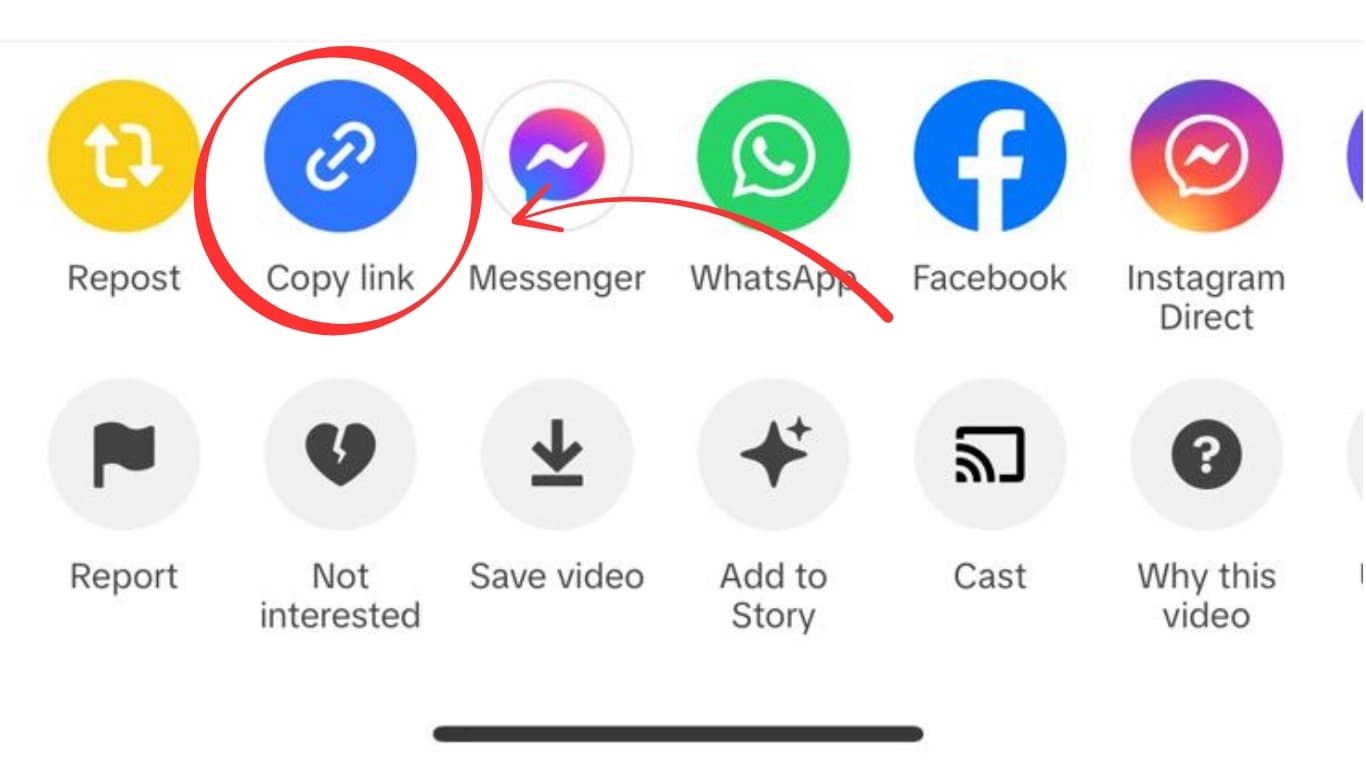
Tap the Share button (the curved arrow icon) on the video, then tap Copy Link. On desktop, you can copy the URL directly from the browser address bar.
Step 3 — Paste on SaveFromInternet.com

Open a new browser tab and go to savefrominternet.com. Tap the input box, paste the URL (long-press → Paste on mobile, or Ctrl+V/Cmd+V on desktop), and click Download TikTok Video.
Step 4 — Choose What to Download
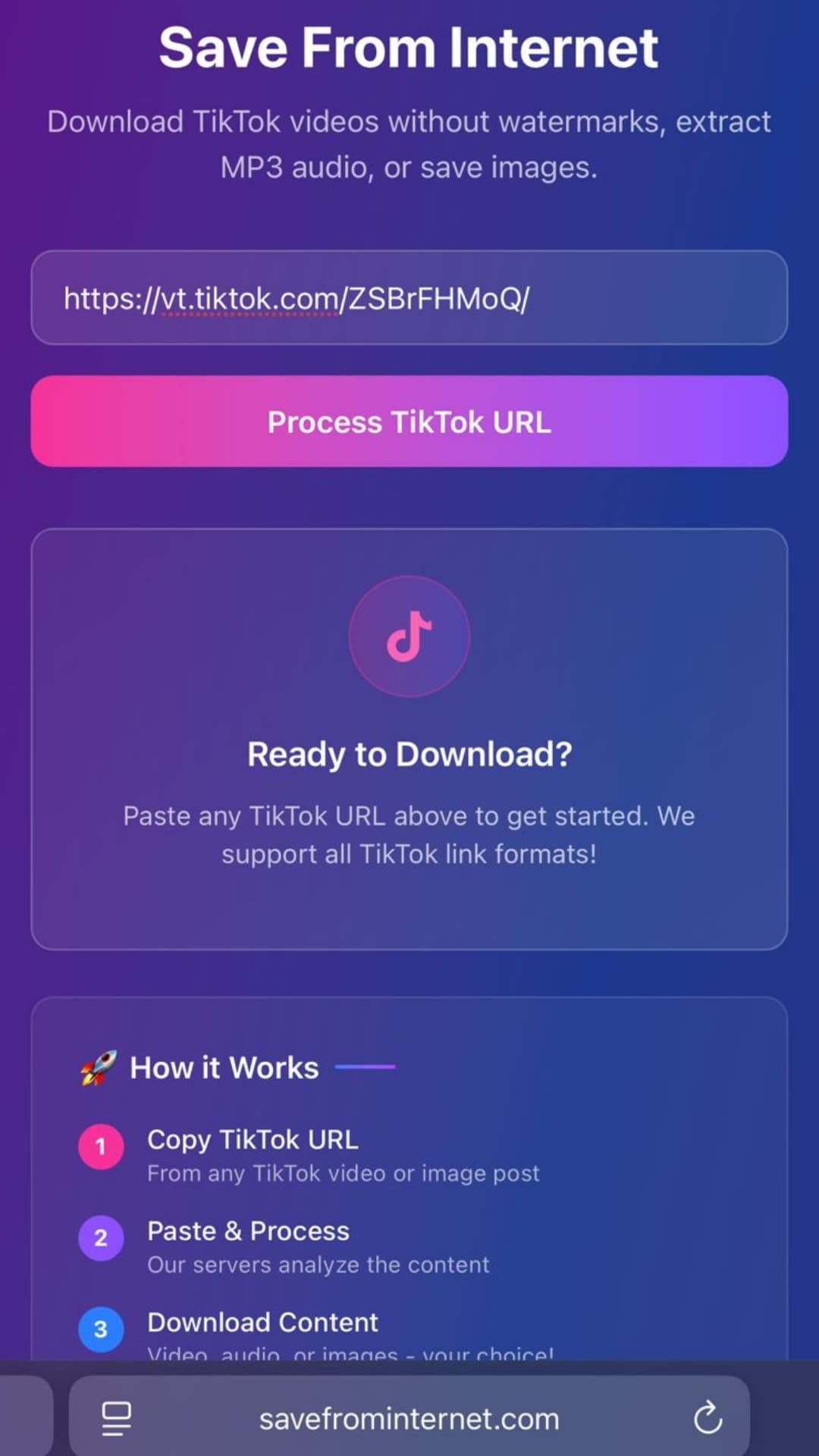
You will see three options:
- Download Video — HD MP4, no watermark
- Extract Audio — MP3 audio only
- Show Images — for photo carousel posts
Step 5 — Save to Your Device
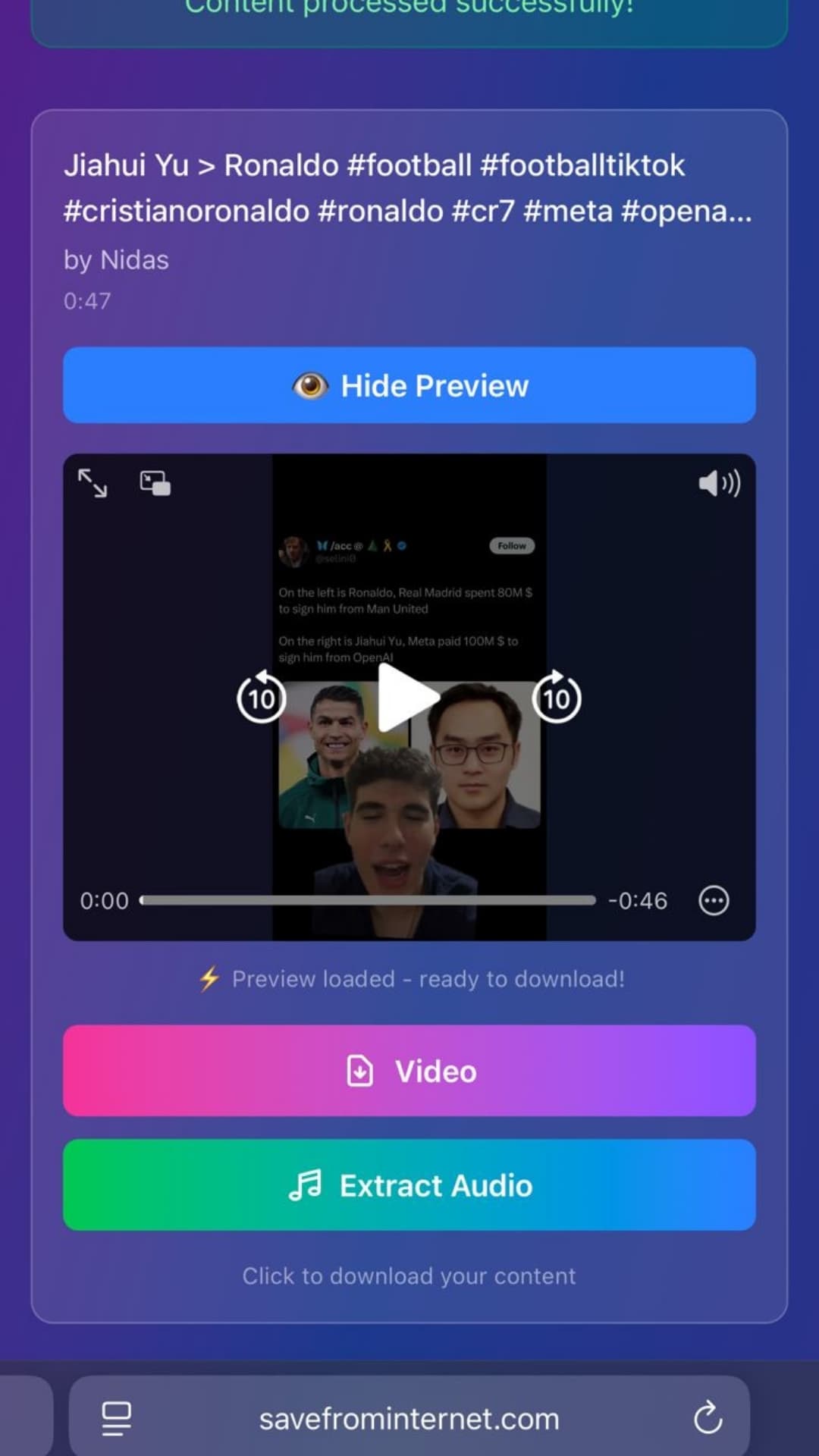
- iPhone: Video opens in Safari — tap and hold → Save Video → Camera Roll
- Android: File downloads automatically to Downloads folder
- PC/Mac: File saves to Downloads folder immediately
Common Mistakes to Avoid
- ❌ Using TikTok's built-in Save (adds watermark)
- ❌ Screen recording (loses quality)
- ❌ Downloading from private accounts (will not work)
- ✅ Always use savefrominternet.com for clean, watermark-free downloads
Related Guides
Photo by Jackie Alexander on Unsplash
Download Videos, Reels & Audio Without Watermark
Paste any link into our free browser tools. Fast HD MP4 downloads, 320kbps MP3 audio extraction, and full-resolution photo carousels.