
How to Download TikTok Videos Without Watermark in 2026
Step-by-step guide to downloading TikTok videos without the watermark in HD quality. Free, no app, works on every device.
Building free video-download tools since 2024. Expert in web APIs, extractors, and multimedia processing across all major platforms.
Download Free HD Videos & Media
TikTok · Instagram Reels · Facebook · Twitter/X · 100% Free · No Watermark
In 2026, short-form content still dominates the internet — and TikTok leads the way. Whether you want to archive your own content, save a video for offline viewing, or repurpose a clip to another platform, here is the exact process to download any TikTok video without the watermark in HD quality.
Why You Need a Watermark-Free Download
TikTok's built-in Save button adds a watermark with TikTok's logo and the creator's username to every downloaded video. This is a problem for three main reasons:
- Instagram penalizes it — Instagram's algorithm actively demotes Reels that contain TikTok watermarks, reducing reach dramatically
- It looks unprofessional — for any edited video project, a burned-in logo is distracting
- You lose quality — TikTok re-encodes the video when applying the watermark, reducing quality compared to the original CDN file
Step 1 — Open TikTok and Find Your Video
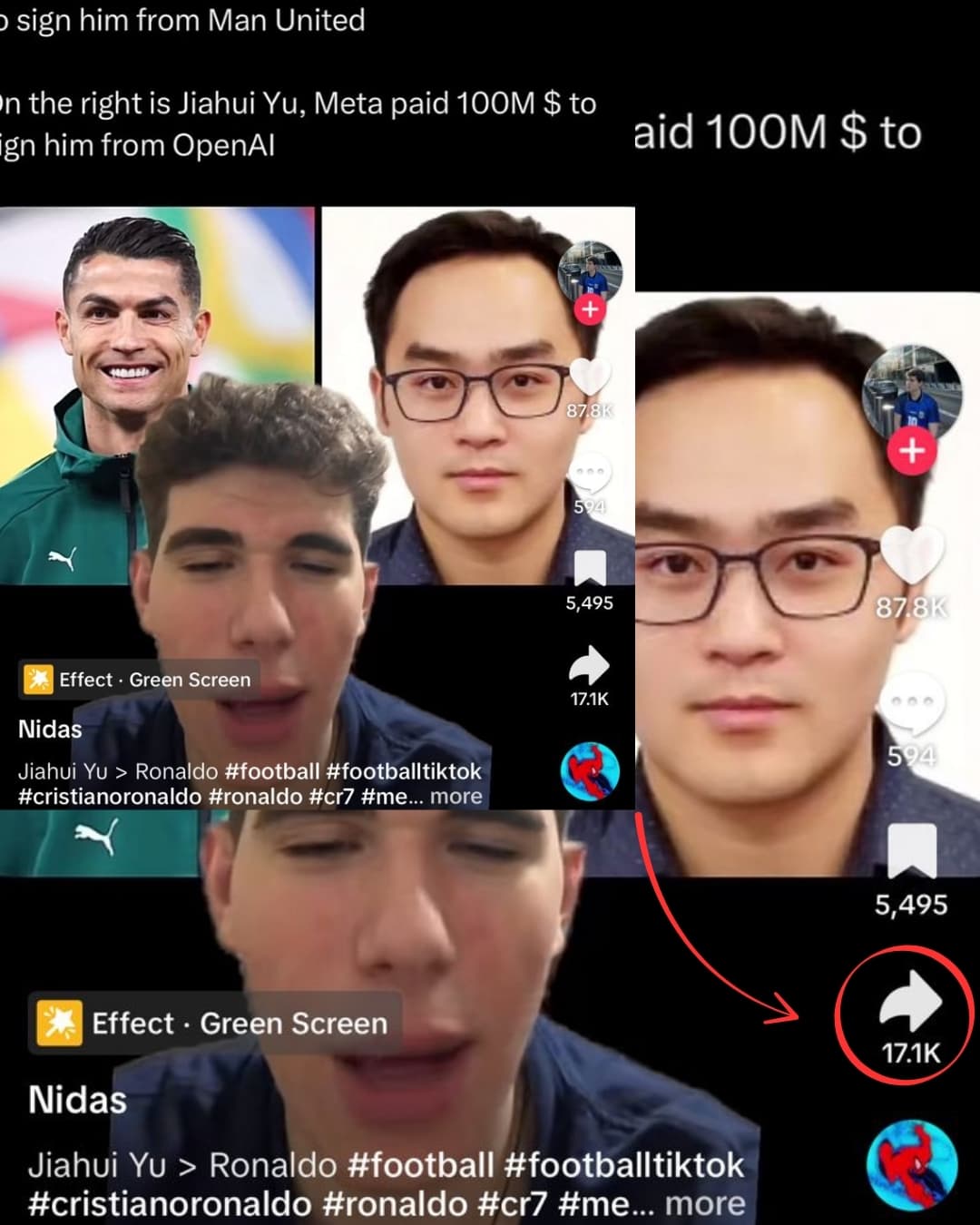
Open TikTok (app or browser at tiktok.com), navigate to the video you want, and tap the Share icon (the arrow icon at the right side of the screen).
Step 2 — Copy the TikTok Link
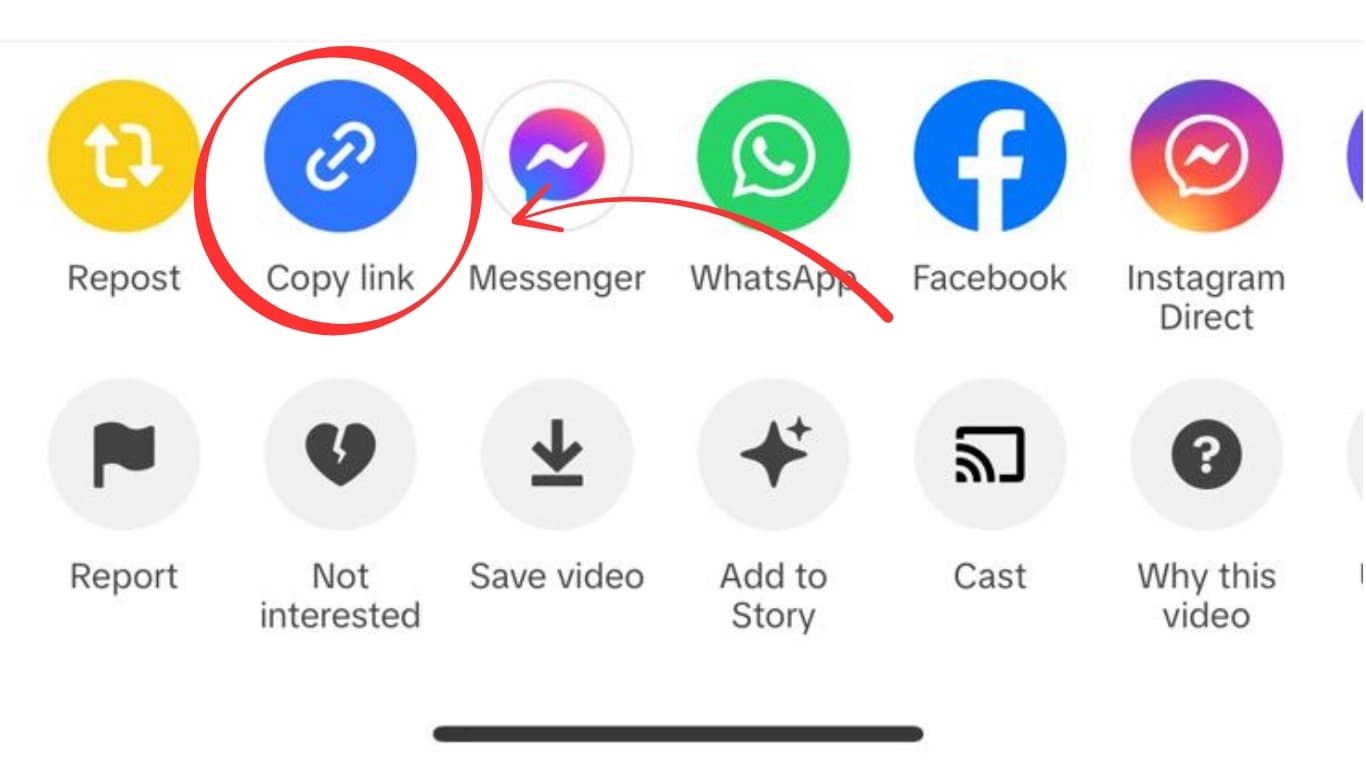
Tap Copy Link in the Share menu. TikTok copies one of these URL formats to your clipboard:
https://www.tiktok.com/@username/video/1234567890123https://vm.tiktok.com/XXXXXXXX/(short link — works fine)https://m.tiktok.com/v/...(mobile web link)
All three formats are fully supported.
Step 3 — Visit SaveFromInternet.com

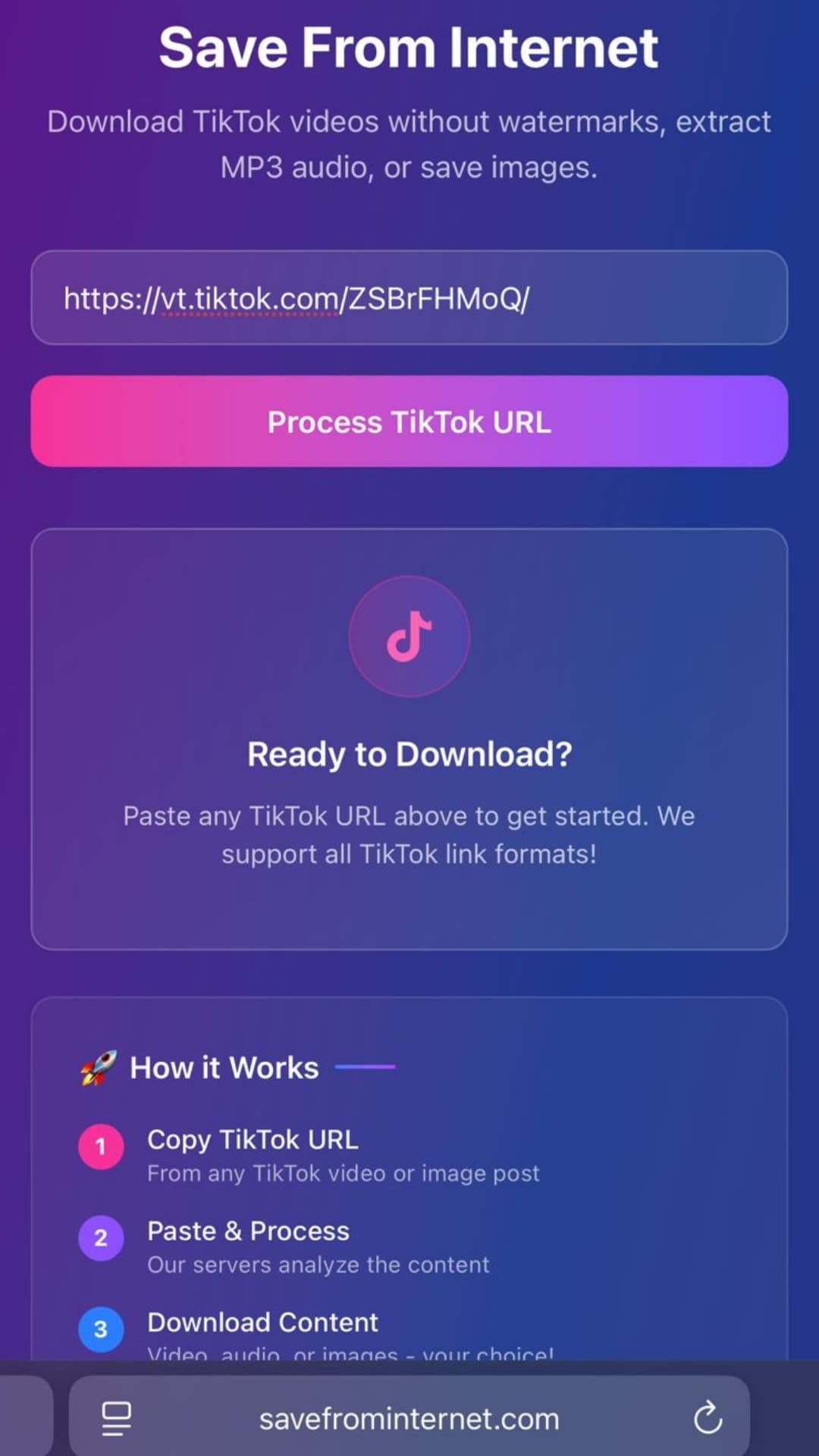
Open any browser and go to savefrominternet.com. Paste the copied link into the input box:
- iPhone/Android: tap and hold the input field → Paste
- Windows: Ctrl+V
- Mac: Cmd+V
Then click Download TikTok Video.
Step 4 — Choose Video, Audio, or Images
After processing (2–5 seconds), you'll see download options:
- Download Video — HD MP4, watermark-free, original quality
- Download Audio — MP3 extracted from the video's audio track
- Download Images — for photo carousel posts, download images individually or all as a ZIP
Step 5 — Save the File
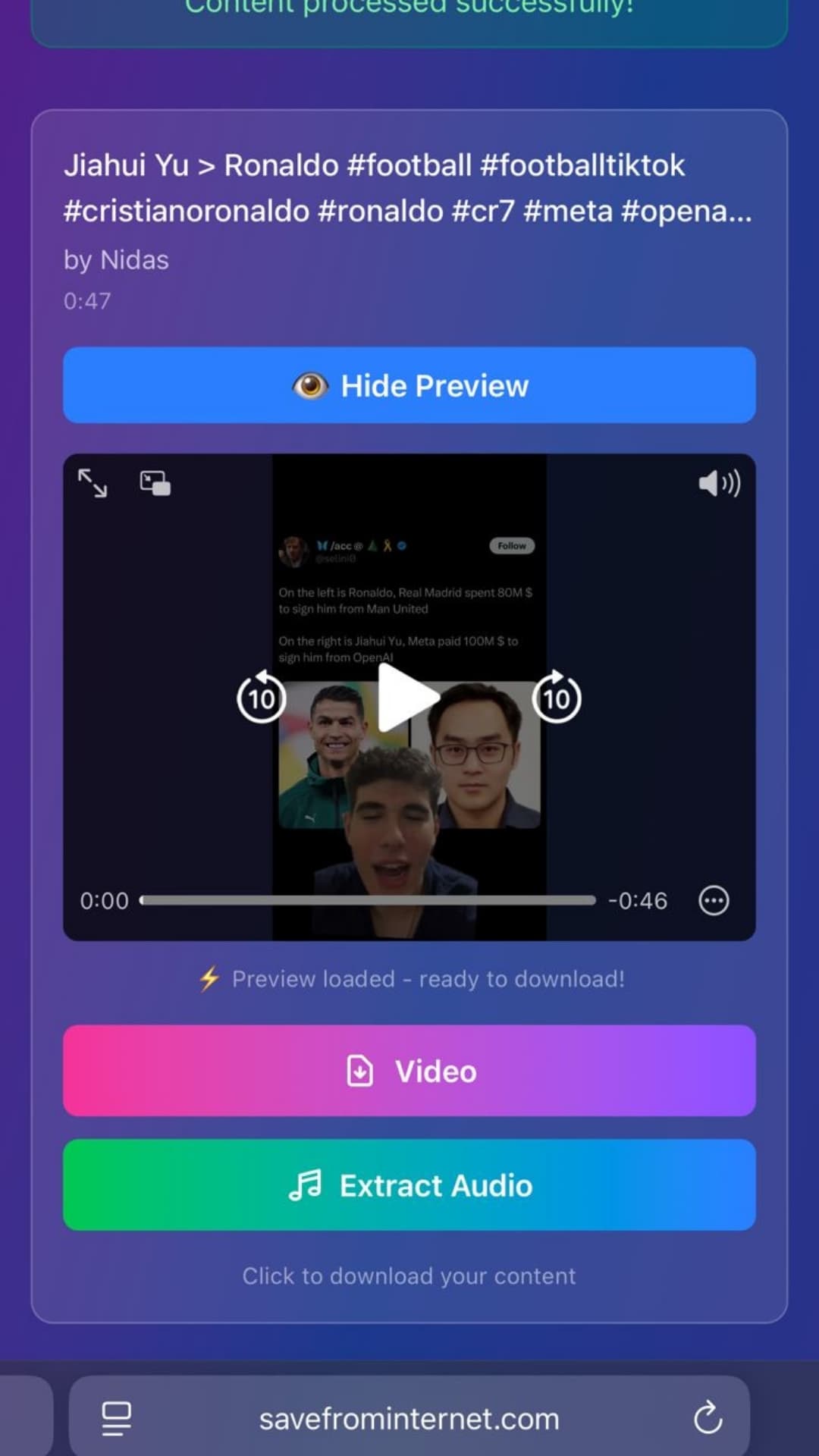
Click or tap Download Video. The behavior depends on your device:
- Android/PC: file downloads automatically to your Downloads folder
- iPhone (Safari): tap the download icon in the toolbar, then tap the file → Share → Save Video to move it to Camera Roll
- iPhone (Chrome): the file opens in the browser — tap Share → Save to Files
How to Download Your Own TikTok Videos Without Watermark
There is a special alternative method for your own TikToks: request a data export from TikTok itself.
- In the TikTok app, go to Profile → three-line menu → Settings → Account → Download Your Data
- Select Video files format
- Tap Request Data
- TikTok emails you a download link within 3–5 days
- The ZIP archive contains all your original uploaded videos — no watermark, highest quality
This method only works for your own videos. For other creators' public videos, use SaveFromInternet.com.
Why SaveFromInternet vs Other Tools
| Feature | SaveFromInternet | ssstik.io | snaptik.app |
|---|---|---|---|
| No watermark | ✅ | ✅ | ✅ |
| Original quality (no re-encode) | ✅ | ❌ | ❌ |
| Photo carousel support | ✅ | ❌ | ❌ |
| MP3 extraction | ✅ | ✅ | ❌ |
| No pop-up ads | ✅ | ❌ | ❌ |
| Works on all devices | ✅ | ✅ | ✅ |
Troubleshooting Common Issues
The video processes but shows an error
This usually means the video is from a private account or was deleted. Verify you can view the video in your browser without a TikTok login.
On iPhone, the download doesn't appear in Photos
After downloading in Safari, go to Files app → Downloads, tap the video file, tap Share, then Save Video. The file moves to your Camera Roll.
The video plays sideways or at wrong orientation
TikTok videos are vertical (9:16 portrait). If your video player is set to landscape mode, it may display incorrectly. The file itself is correct — open it in your Gallery app for proper playback.
Download is very slow
TikTok videos are hosted on CDN servers globally. Slow downloads are usually a local internet connection issue, not the downloader. Try again on Wi-Fi.
Frequently Asked Questions
Will TikTok notify the creator I downloaded their video?
No. TikTok does not send notifications for downloads made through third-party tools. See our full guide: Does TikTok Notify When You Download?
Does this work on private TikTok accounts?
Only public videos can be downloaded. Private accounts restrict access to their content.
Is this completely free?
Yes — completely free with no account required and no download limits.
What resolution does TikTok store videos at?
TikTok stores most videos at 720p or 1080p. The exact quality depends on the creator's original upload resolution and device. You receive the same quality TikTok uses for streaming.
Can I download TikTok Duets or Stitches?
Yes. Duets and Stitches are regular TikTok videos — paste the URL and download the same way. The download contains the full combined video as it appears on TikTok.
Related Guides
Photo by Peter Stumpf on Unsplash
Download Videos, Reels & Audio Without Watermark
Paste any link into our free browser tools. Fast HD MP4 downloads, 320kbps MP3 audio extraction, and full-resolution photo carousels.